Bash Squad HQ
- For
- Our own team
- First commit
- July 4, 2026
- Used
- Every working day
- Runs on
- Cloudflare Workers and Convex
Leads, clients and contacts in one place
Contracts drafted, sent and tracked
Invoices built from tracked time and paid online
A command line our coding agents use too
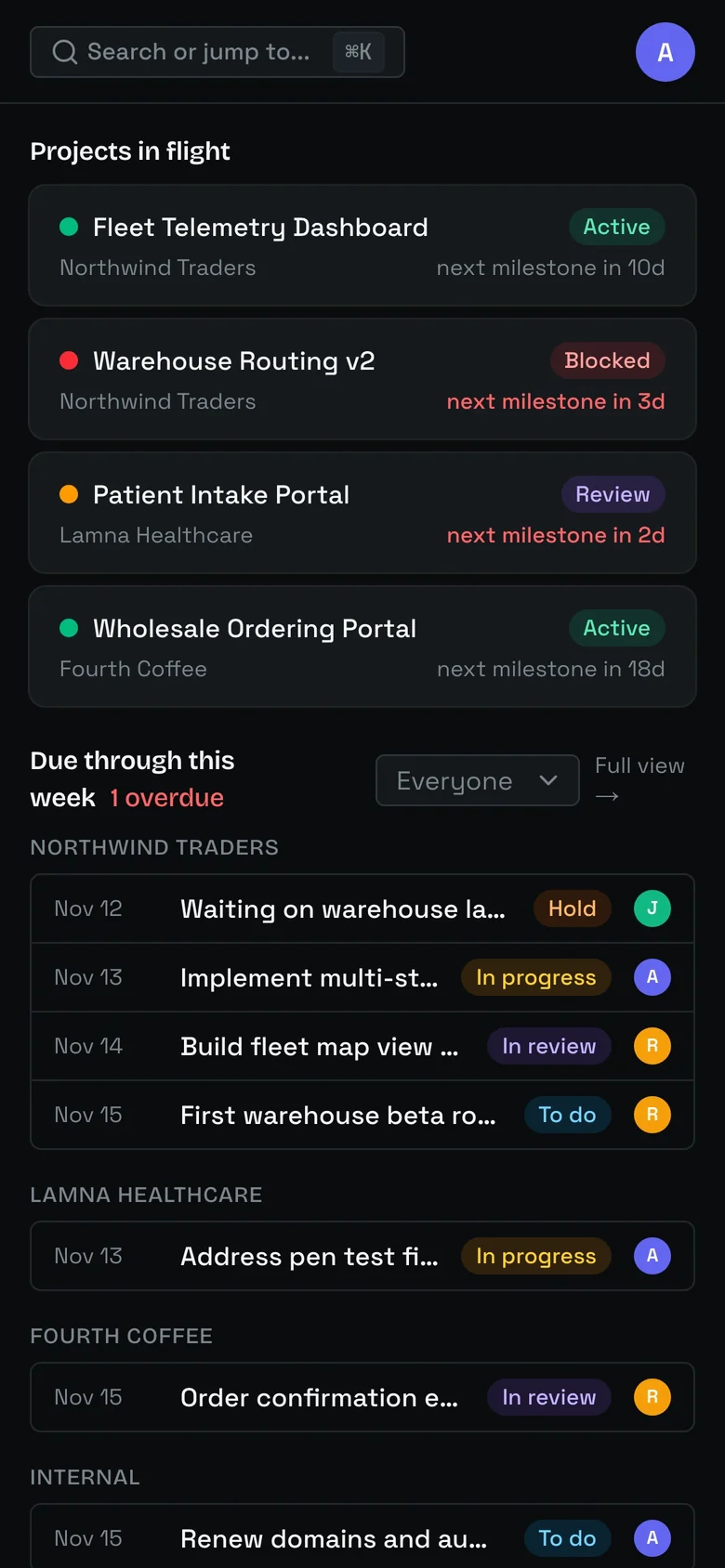
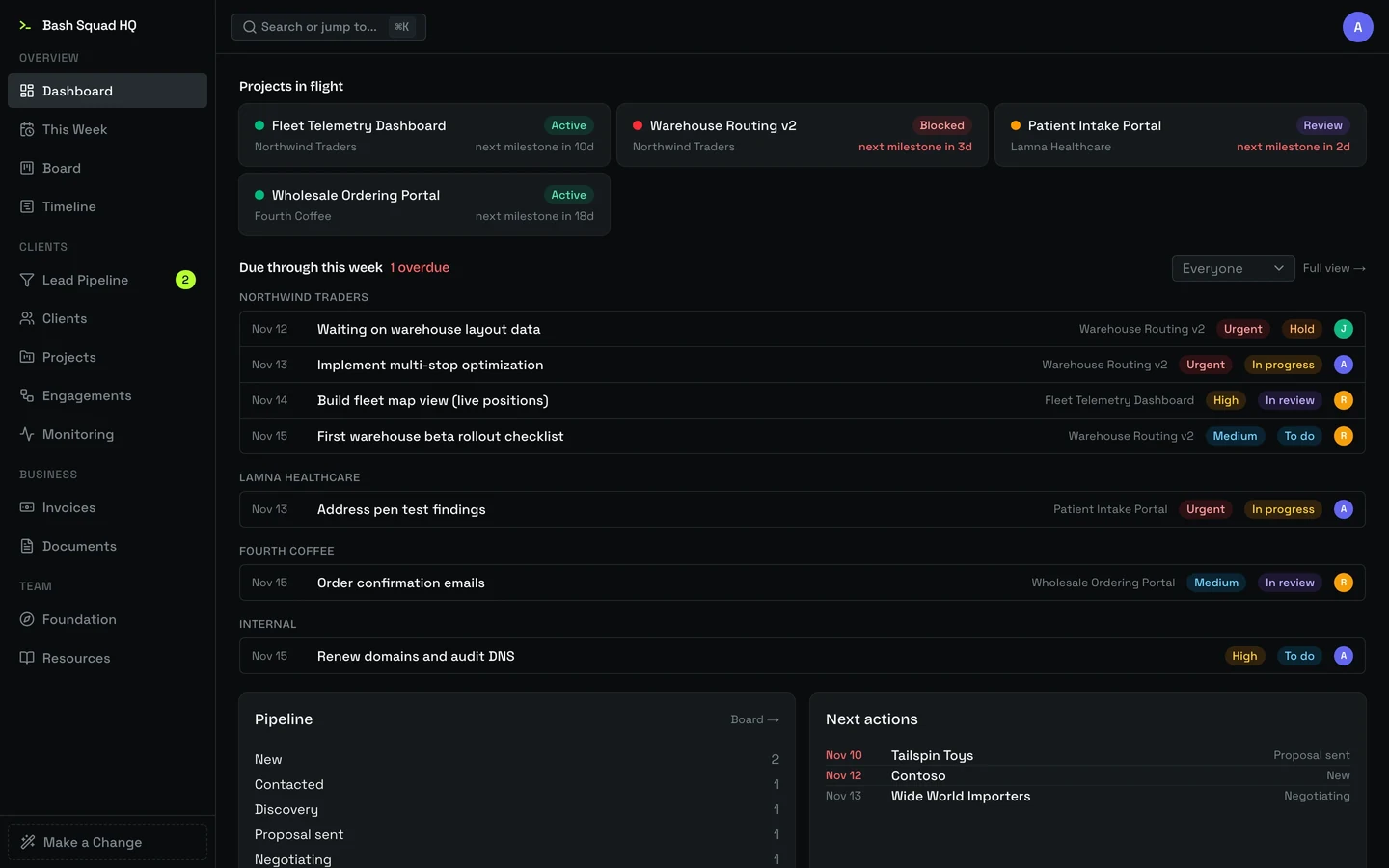
We run Bash Squad in one app we built ourselves. It holds every lead, project and invoice, and our coding agents work in it alongside us.
Follow-ups come first. The pipeline opens on the leads that need a reply today, and inquiries from our website land in it on their own.
One board for client work. Every project’s tasks sit together, and a timeline shows what we owe each client and when.
Invoices start from tracked time. The hours we log in Toggl flow into a draft invoice, which goes out with a link to pay online.
Agents work here too. From a terminal, our coding agents pick up tasks and report back. Every change they make is marked with its source.
What we built
Each screen below is the real app, captured with demo data in place of our clients. Every company and person shown is made up.
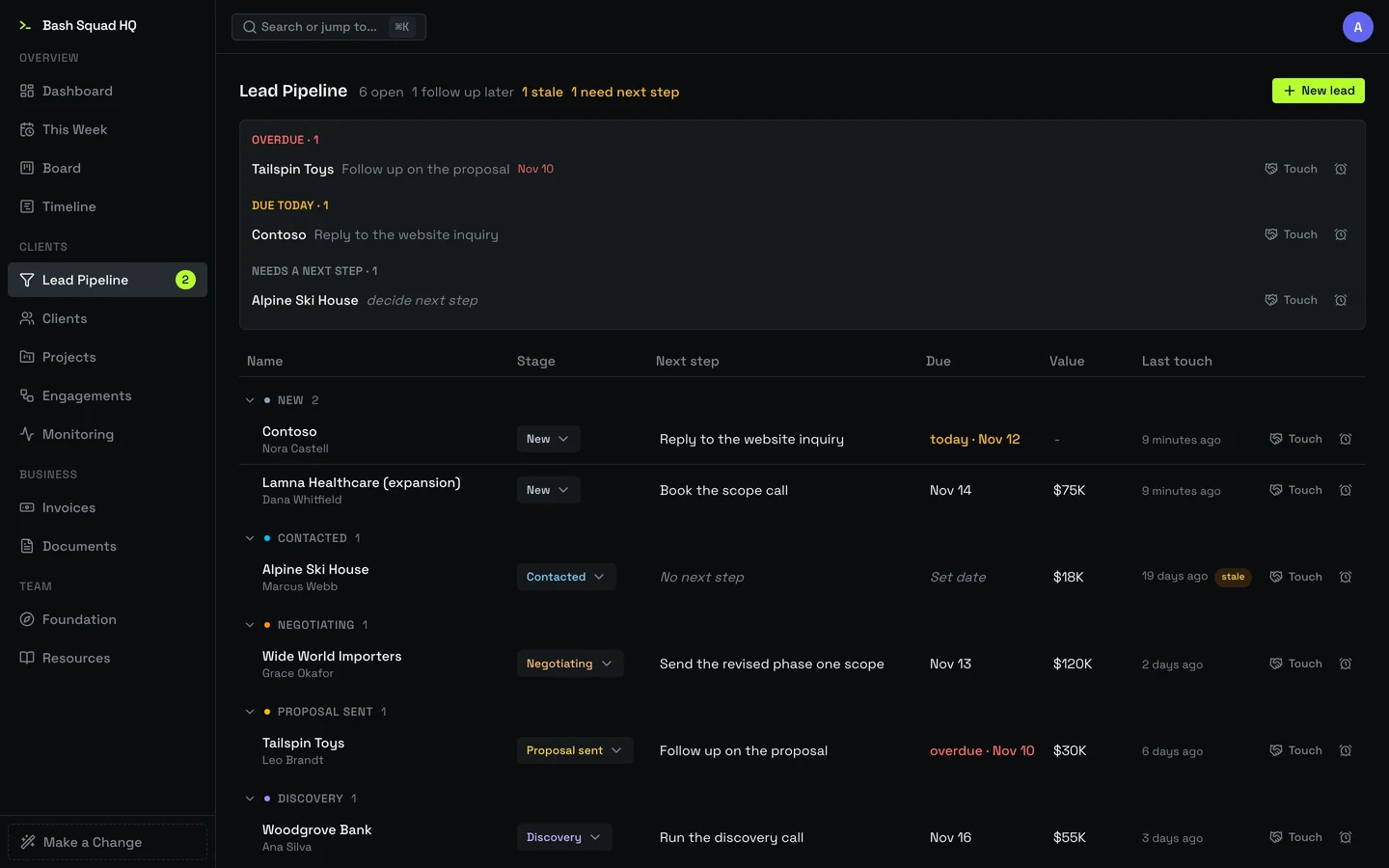
The lead pipeline
Every open lead sits in its stage with a next step and a date. Follow-ups that are overdue or due today rise to the top, and a lead that’s gone quiet is flagged before it’s forgotten. Logging a call takes one click and schedules the next follow-up.
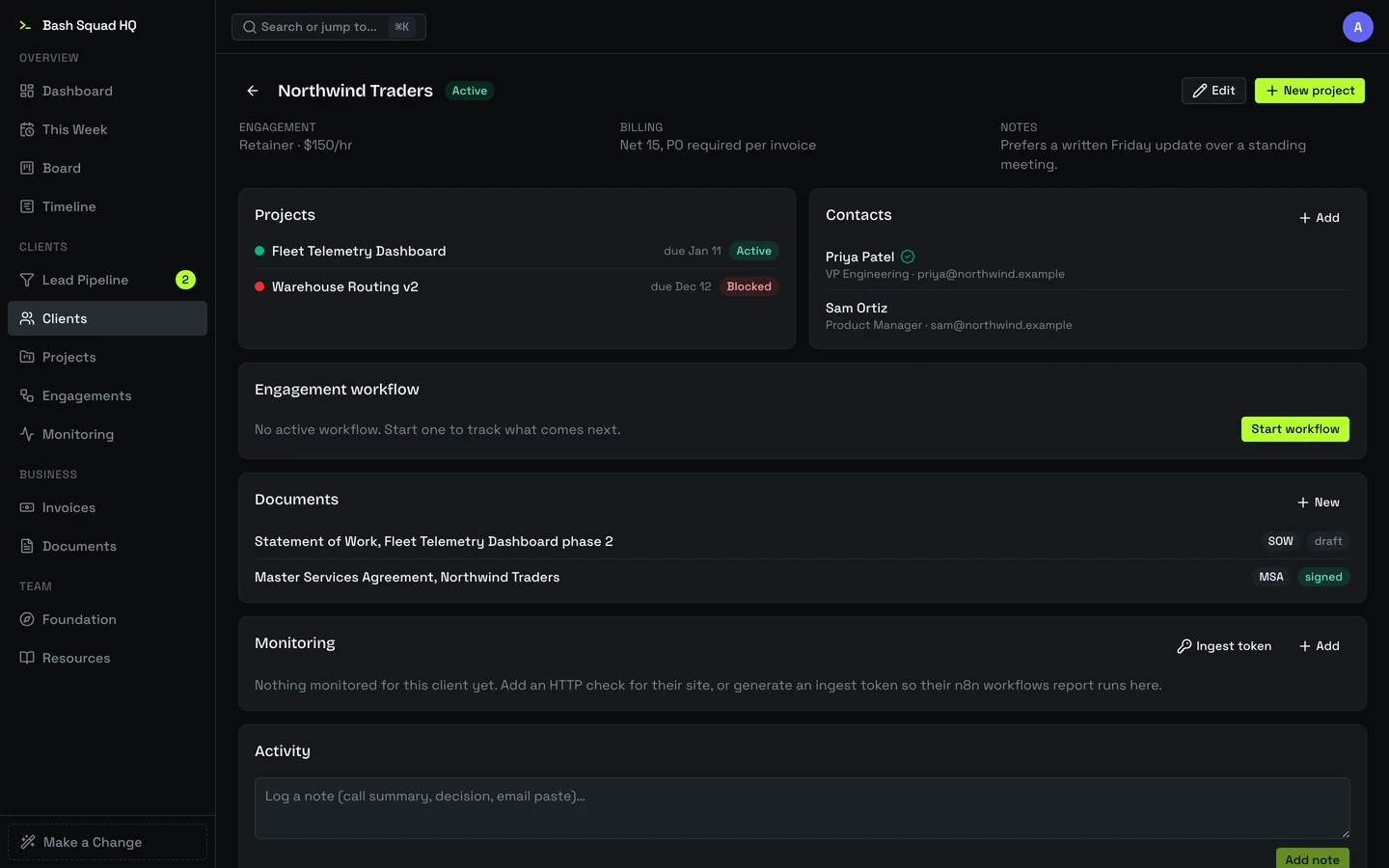
A client’s page
A client’s page gathers its projects, people and paperwork. A contact is one person who can work with several clients, with a role and approval authority for each, so nobody is entered twice. When a lead becomes a client, the documents we sent along the way come with it.
The task board
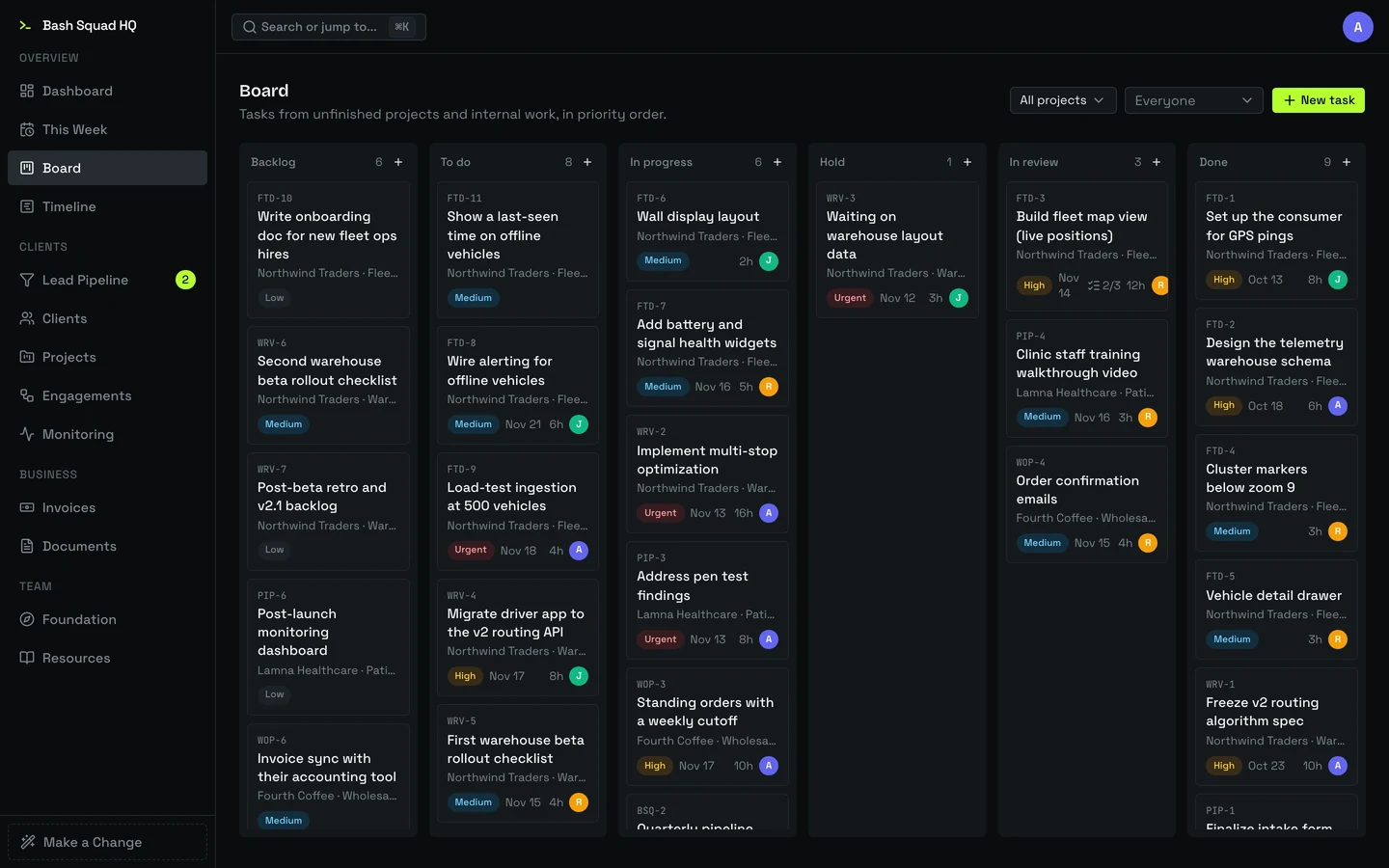
One board holds the tasks of every unfinished project alongside our internal work, in priority order. Each card has a short key such as FTD-3 that keeps pointing at the same task, so it can be named in a commit, a chat or a terminal and found again.
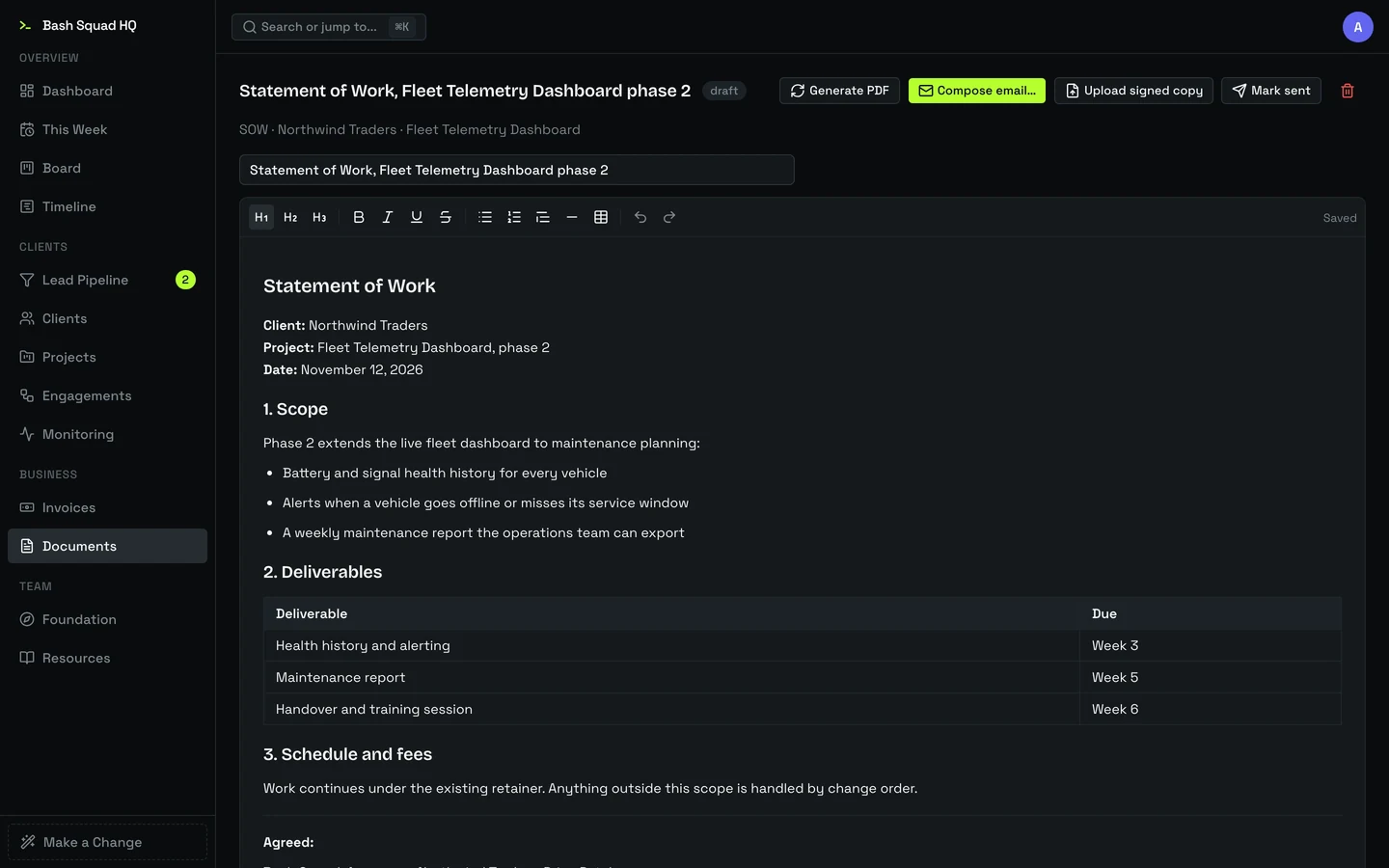
A document
Agreements start from templates for the paperwork we send, from master agreements and statements of work to change orders, NDAs and proposals. Two of us can edit a draft at once. HQ renders the PDF, emails it, and keeps the client’s replies on the document until it’s agreed and signed.
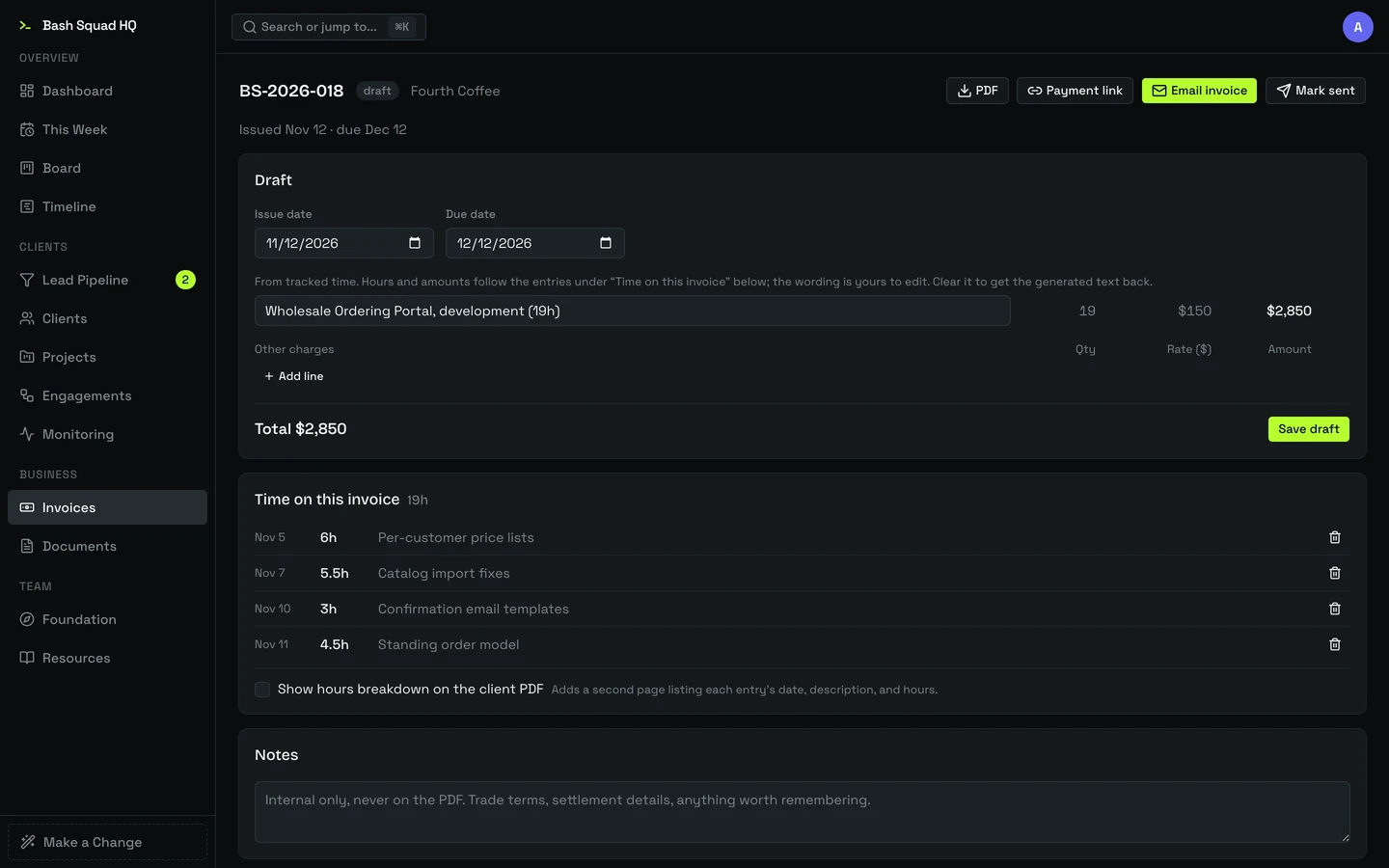
An invoice
A draft invoice collects a client’s unbilled hours into one line per project, with every time entry listed underneath. Fixed fees and other charges are added by hand. Sending it emails the PDF with a link to pay online, and a bank payment counts as paid only once it settles.
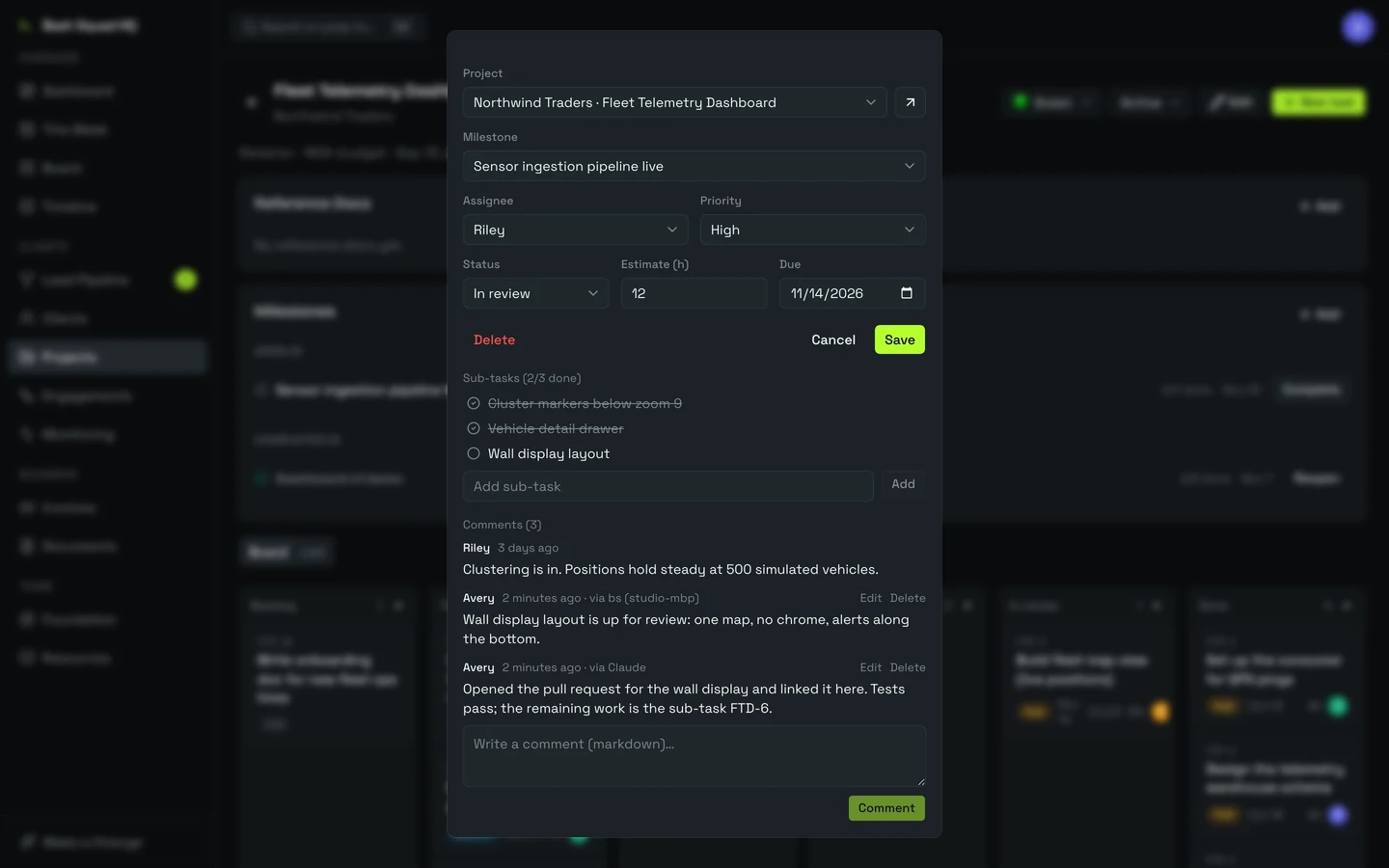
A task’s comments
Open a task and its conversation is there, along with its sub-tasks and files. Comments posted from the command line or by a coding agent sit beside ours, each marked with its origin. The two marked comments in this capture were written through the same API our agents use.
Hours become invoices
We track our time in Toggl. HQ pulls those hours in and carries them through to a paid invoice, so nobody retypes a timesheet.
Track
Every hour, HQ imports each person’s new Toggl entries and files them under the project they belong to. Running timers are skipped, and hours already on an invoice are never rewritten.
Invoice
Unbilled hours collect under each client. Drafting an invoice turns them into one line per project at that project’s rate. Time on fixed-fee work is tracked against our own budgets and stays off the bill.
Collect
Sending an invoice creates a Stripe payment link and emails it with the PDF. When the payment settles, the invoice marks itself paid. A bank payment that fails is flagged for one of us to follow up.
Four months
of releases.
- Jul 4First commitClients, projects, tasks and a timeline across all of them.
- Jul 4Sales and billingThe lead pipeline, invoices and document templates land the same day.
- Jul 10Our own sign-inSign-in moves in-house, open only to our team’s email addresses.
- Jul 22Pipeline follow-upsOne-click contact logging, snoozing and a daily digest email.
- Jul 22Email threadsA client’s reply to a sent document appears on that document.
- Jul 29Toggl syncTracked hours arrive on their projects, each with its own rate.
- Aug 25Invoices by emailSending an invoice creates its payment link and attaches the PDF.
- Aug 25Bank paymentsA bank transfer counts as paid only after it settles.
- Aug 31Cloudflare WorkersHosting moves to Cloudflare.
- Sep 21One boardEvery project’s tasks and our internal work share a single board.
- Sep 21The bs command lineTasks can be listed, created and updated from a terminal.
- Oct 1Agreed and signedDocuments record agreement and signature, with more than one signer.
- Oct 19Agent accessAn API, an MCP server and a plugin connect coding agents to HQ.
- Oct 20Offline modeAn opt-in mode keeps project work going without a connection.
- Oct 29Shared editingTwo people can edit the same document draft at once.
The numbers
72
pull requests merged between July 22 and October 29
1076
automated tests, all passing in a fresh run on November 12
41
commands in the bs command line, for people and coding agents
In daily use
We run Bash Squad in HQ every working day. It’s private to our team, so this page shows it with demo data in place of a live link.
A recording of HQ with demo data. A task moves to In progress on the board, then the lead pipeline and the invoice list follow.
- Used by
- Our own team
- First commit
- July 4, 2026
- Runs on
- Cloudflare Workers and Convex
- Built with
- Next.js, React, TypeScript, Tailwind
- Connects to
- Stripe, Toggl, Resend, GitHub
- Agent access
- Command line, HTTP API, MCP server
Tell us the hard thing.
It takes about two minutes. An engineer reads every one of these, not a bot and not a sales sequence. Whether it's broken, half-built, or still just an idea, tell us what it is. If we're not the right fit, we'll say so.
Rather just email?
Skip the form. Write it however you like; the same engineer reads it either way.
An engineer reads your note (no triage bot, no lead scoring) and replies fast, usually within 1 business day. If it looks like a fit, we offer a few times for a 25-minute call.